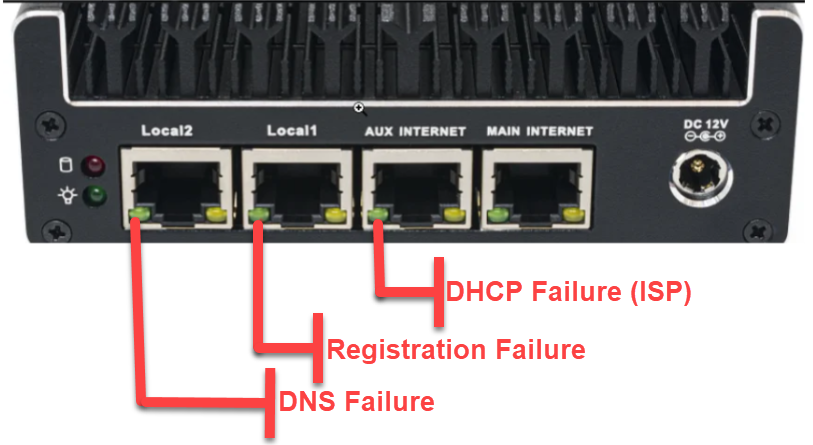
The front-panel LEDs on the UG-10x and UG-204 gateways tell you where in the connectivity chain the gateway is stuck. Use the table below to map a symptom to its meaning.
Symptom by gateway model
| Condition | UG-10x indicator | UG-204 indicator |
|---|---|---|
| Cannot acquire a DHCP address | A light is off | Aux Internet light is blinking |
| Cannot complete DNS queries | Status light is orange | Local 2 light is blinking |
| Cannot reach the cloud | Status light is orange | Local 1 light is blinking |
| Reporting to the cloud successfully | Status light is green | Main Internet steady green, no other green lights blinking |
The orange UG-10x status light is the same colour for “no DNS” and “no cloud” — distinguish them by checking whether DNS resolution works from a LAN device before escalating.
Additional UG-10x status colours
- Blue — gateway is downloading its configuration from the cloud. Wait for it to finish.
- Purple — firmware update in progress. Do not power-cycle.
UG-204 LED layout