Account types
The Portal supports two account roles. Both are managed from Profile › Settings › Other Accounts.
- Admin — can create new accounts.
- Tech — cannot create new accounts.
Use Tech accounts for staff who need day-to-day access but shouldn’t be provisioning new users; reserve Admin for the people who do.
Creating an account
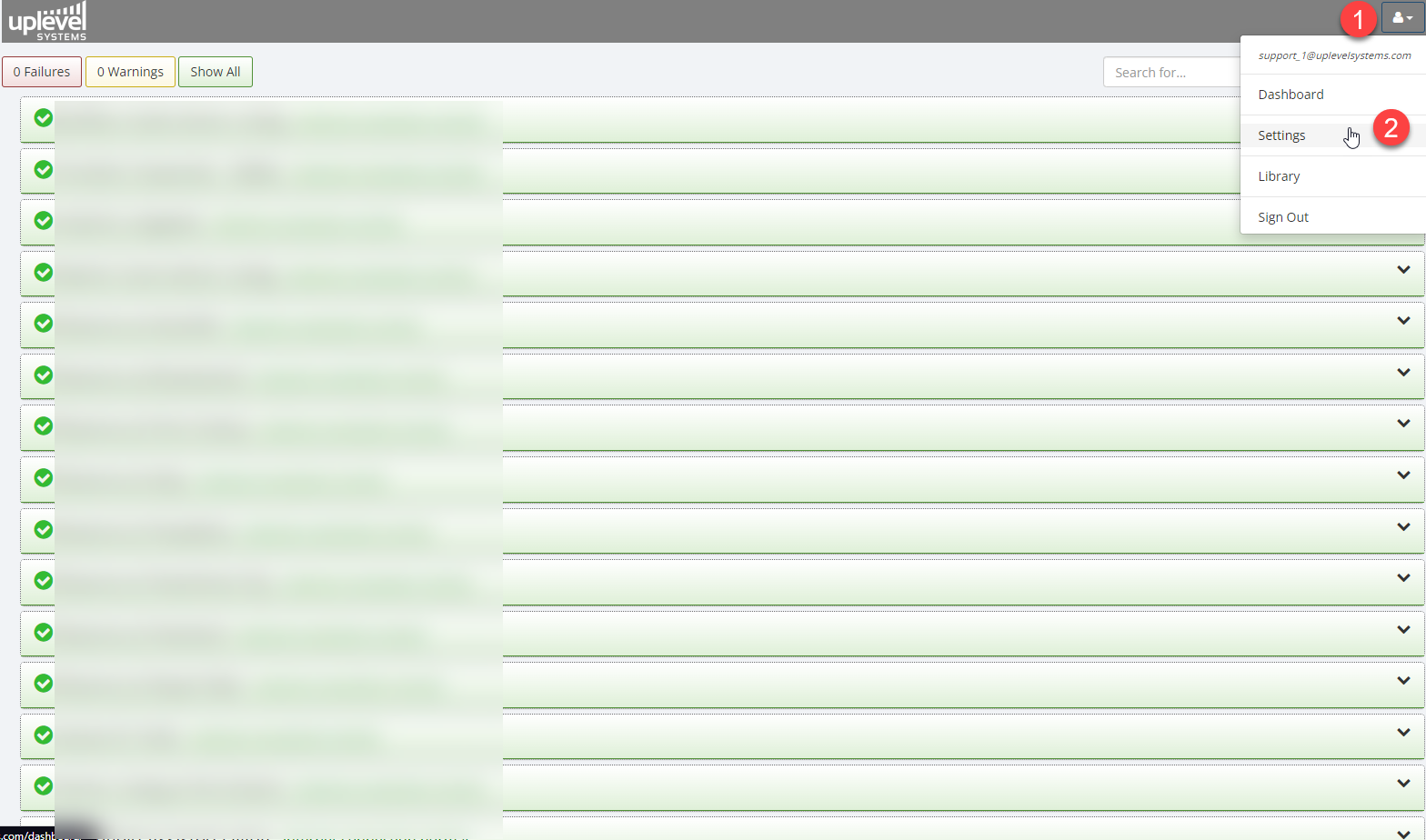
- Click your Profile icon (top-right of the Portal).
- Choose Settings.
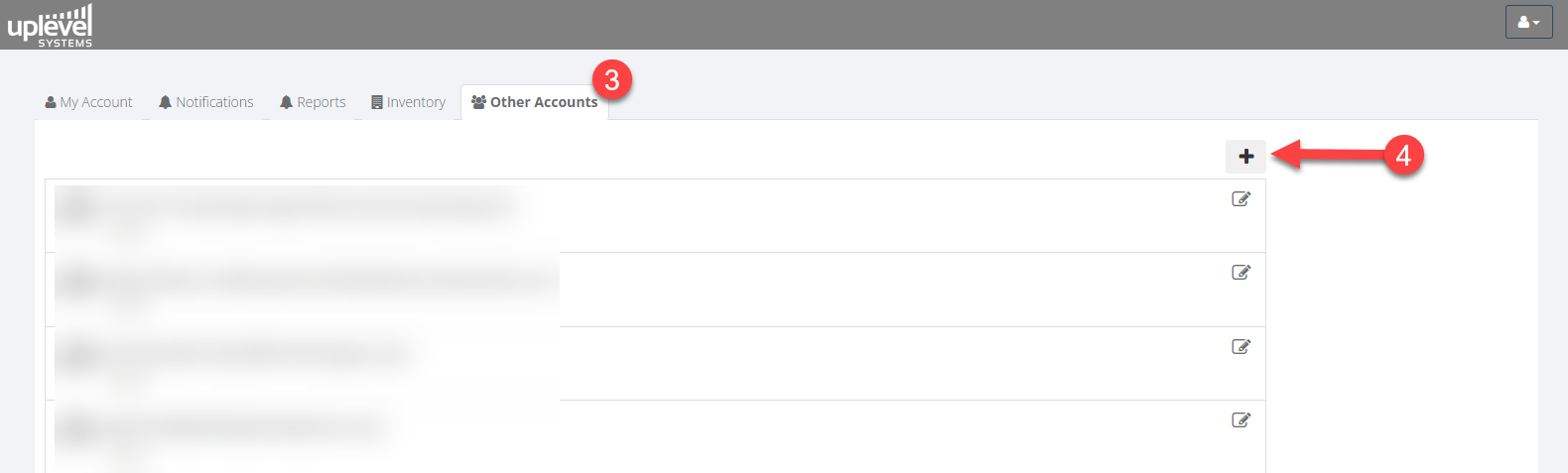
- Open the Other Accounts tab.
- Click Add and fill in the new account details, including the role.