Intuit’s current position
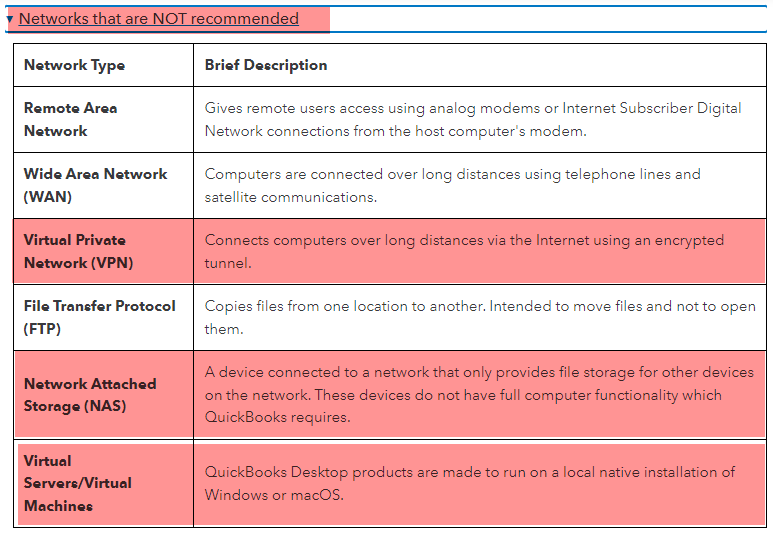
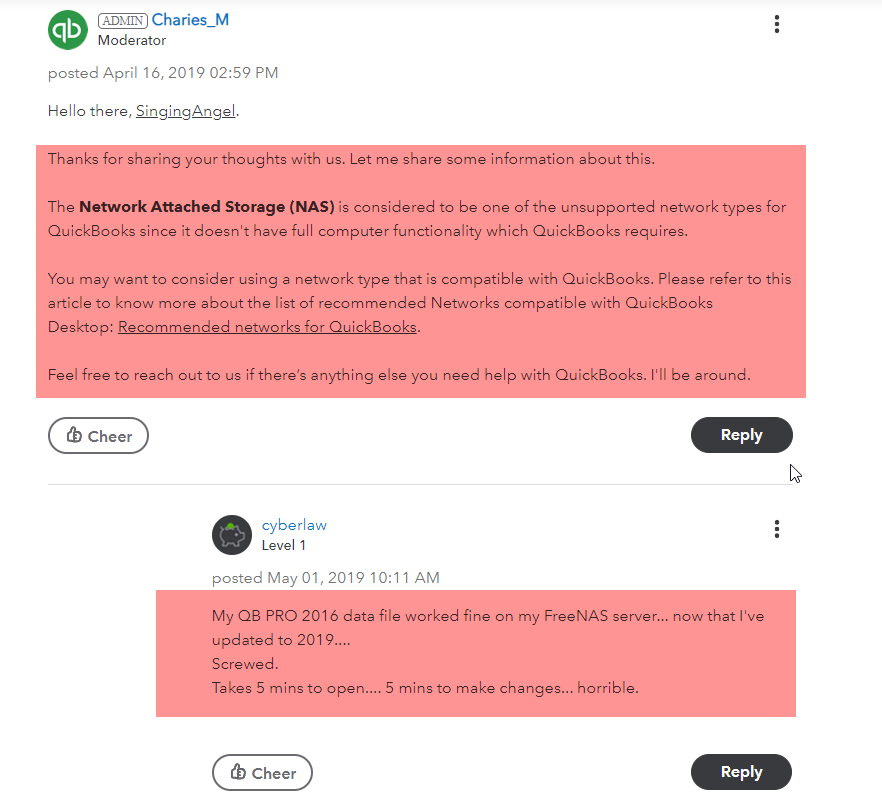
Running the QuickBooks application against a company file stored on a NAS — single-user or multi-user — is no longer supported by Intuit. For a few years they did support hosting the QB file on a NAS while running QuickBooks Database Server Manager on a Windows or Linux host alongside it; that’s no longer the case.
You can still back up a QuickBooks file to a NAS without losing Intuit support. What you lose is support for running QB from a file that lives on a NAS, or accessing such a file over a VPN.
Intuit publishes the current supported-storage and supported-network matrix here:
Partner experience
A number of Uplevel partners have run QuickBooks off NAS or over VPN with success. Others have run into intermittent file corruption and performance problems doing the same thing. The behaviour isn’t something Uplevel can tune from our side — it’s a function of how QuickBooks interacts with SMB and Windows locking semantics.
The pragmatic guidance is: it might work for your client today, but if you hit problems, Intuit won’t help. Plan accordingly.
Linux server alternative
Some partners report success serving QuickBooks files from a Linux server running the official Intuit Database Server Manager package, which is documented (loosely) at:
This is a reference, not an endorsement — Uplevel can’t help support QuickBooks installations either way.
For QuickBooks-specific questions, contact Intuit Support.