Introduction
This article covers what becomes possible once you assign more than one static IP to a gateway’s WAN port, and how to choose between port forwarding and WAN mapping for the use cases that need it.
Static IP capabilities
Each WAN port — Primary or AUX — can carry up to four static IPs, each with its own subnet mask and gateway address.
The first static IP on each WAN port behaves exactly as it does in firmware before version 4.4.x. That part of the model hasn’t changed.
The first static IP on the port is the main IP: it’s where packets enter and leave by default. The second through fourth static IPs are additional IPs, available for two specialized roles:
- Port forwarding — send packets that arrive on a specific WAN IP through to a specific host on the LAN (ingress, public Internet → LAN).
- WAN mapping — SNAT outbound packets from a specific LAN host or subnet so they leave the gateway on a specific WAN IP (egress, LAN → public Internet).
Configuring static IPs
Static IPs are added from the Portal UI, or via a serial console cable. The full procedure lives in WAN Static IP Configuration Guide.
A note on reboots
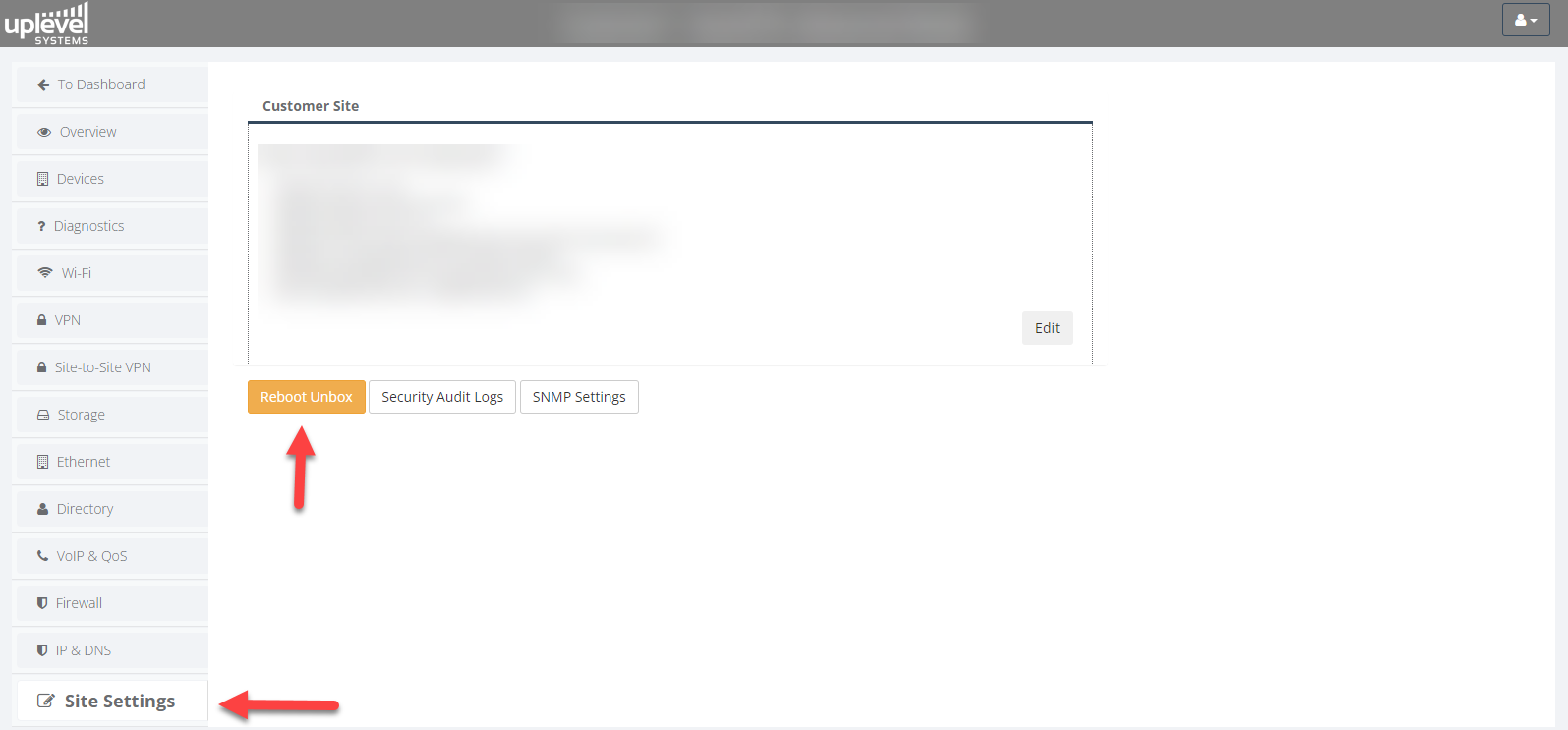
Changes to static IP settings only take effect after the gateway is rebooted — either by power-cycling, or with a soft reboot from the Portal. Until then, the Portal shows the pending IP(s) alongside the live IP(s) so you can sanity-check before committing.
DNS
A single pair of DNS servers covers both WAN interfaces. If you already have DNS configured, no change is required when adding static IPs.
WAN mapping
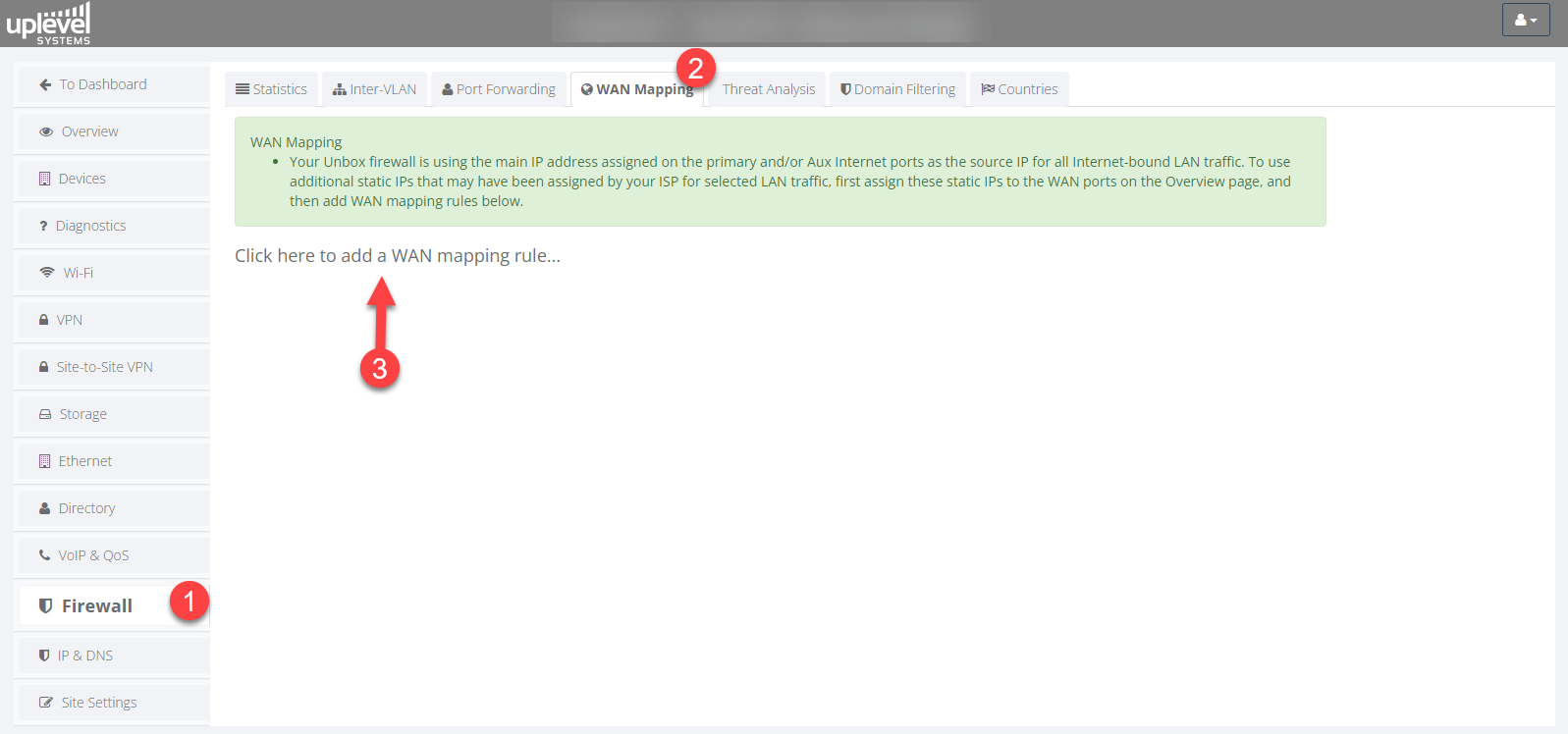
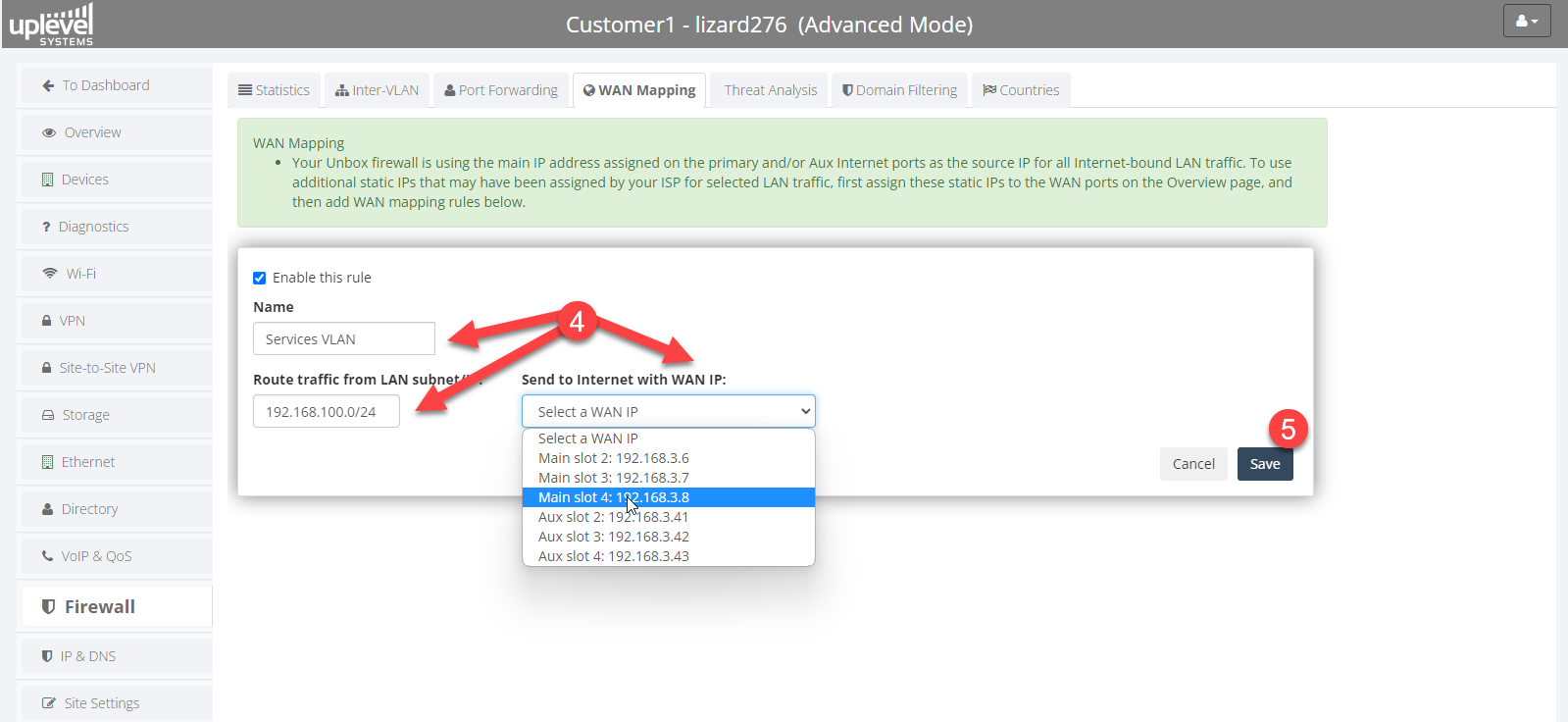
WAN mapping picks a specific LAN host or subnet and forces all of its outbound traffic to leave the gateway with a specific WAN public IP.
Real-world use cases
- Third-party hosted servers. A vendor keeps servers on-site but only allows traffic from a specific public IP that they’ve added to their allow-list. WAN mapping sources that vendor’s LAN traffic from the agreed IP.
- Mixed voice/data ISP service. An ISP wants VoIP phones to egress on a different public IP than workstation traffic. WAN mapping isolates the phone VLAN onto its own WAN IP.
Port forwarding
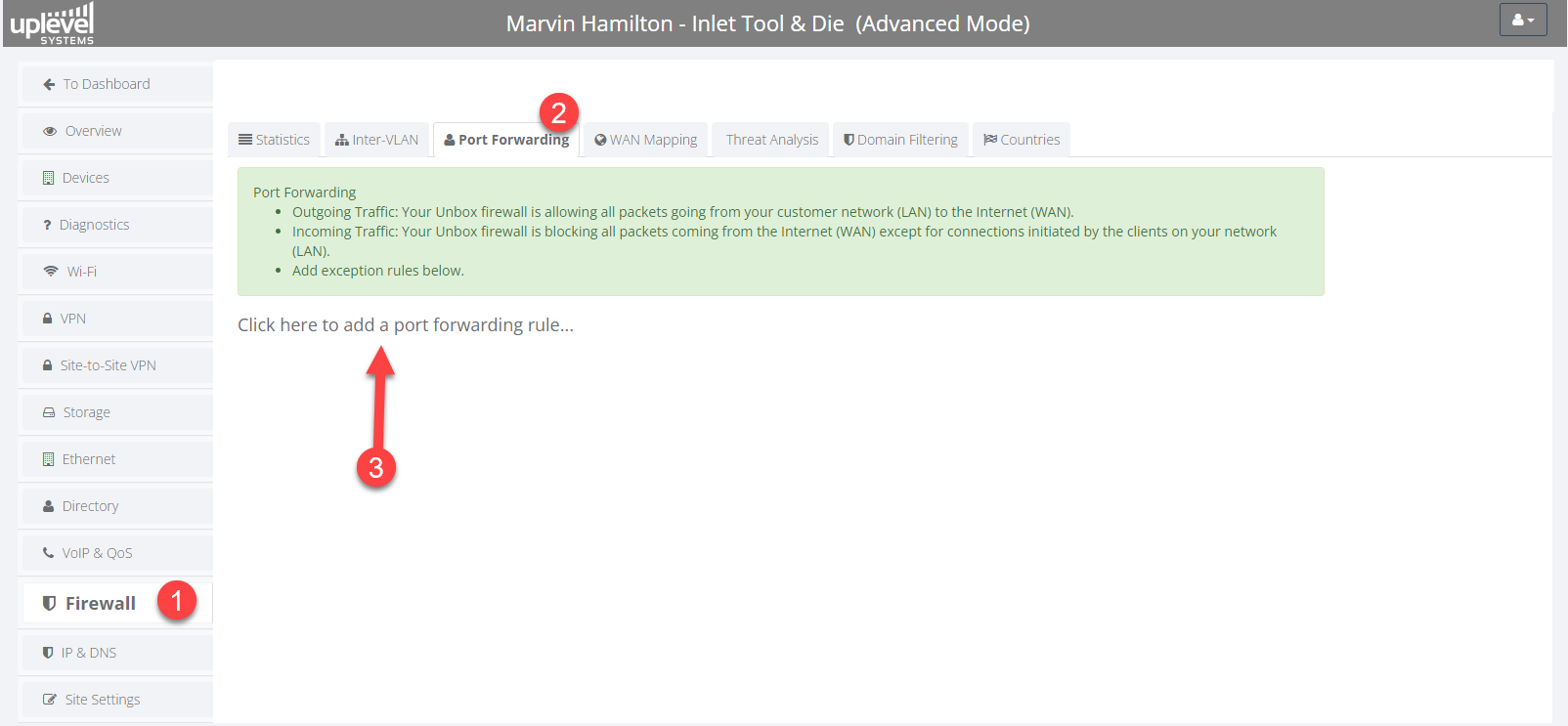
Port forwarding takes ingress traffic addressed to a specific WAN IP and forwards it to a host on the LAN.
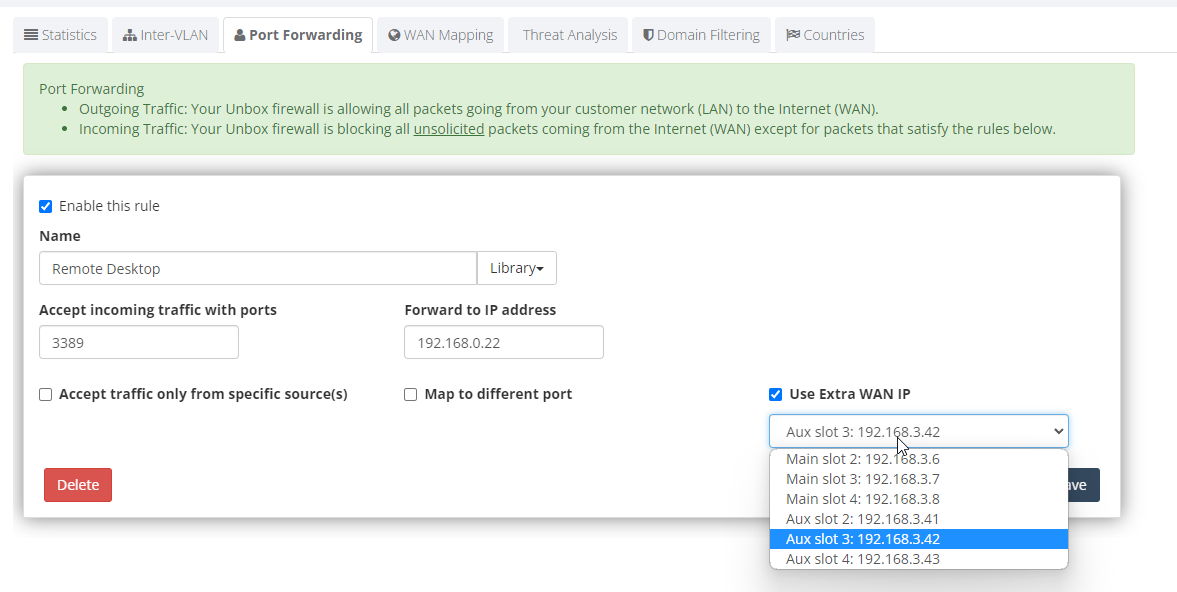
Real-world use case
- On-premises video server with a dedicated public IP. Forward any port hitting the secondary WAN IP to the video server’s LAN IP. Pair this with a WAN mapping rule so the video server’s own outbound traffic (and the traffic from its associated cameras) also egresses on that same dedicated public IP. The result is a pragmatic DMZ pattern: that public IP belongs to that subsystem for both ingress and egress.
Security note. Before exposing services with port forwarding, read the warning at the top of the Port Forward article and consider whether a Client VPN tunnel would be a safer fit.
Rebooting the gateway
After making any static IP, WAN mapping, or port-forwarding changes, reboot the gateway to commit the configuration. Two ways to do it:
- Pull and replace the power cable, or
- Use Portal › Site Settings to issue a soft reboot.