Managing the DHCP server
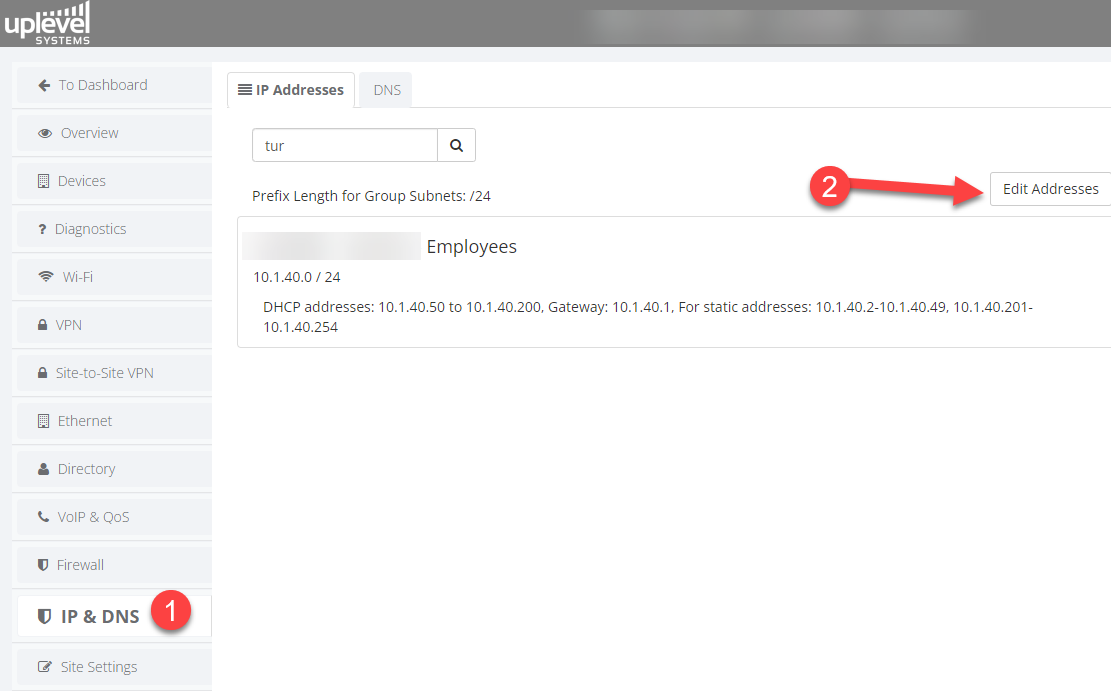
The Uplevel gateway can act as the DHCP server for each VLAN on the LAN independently. To enable, disable, or edit a VLAN’s DHCP configuration:
- Open IP & DNS.
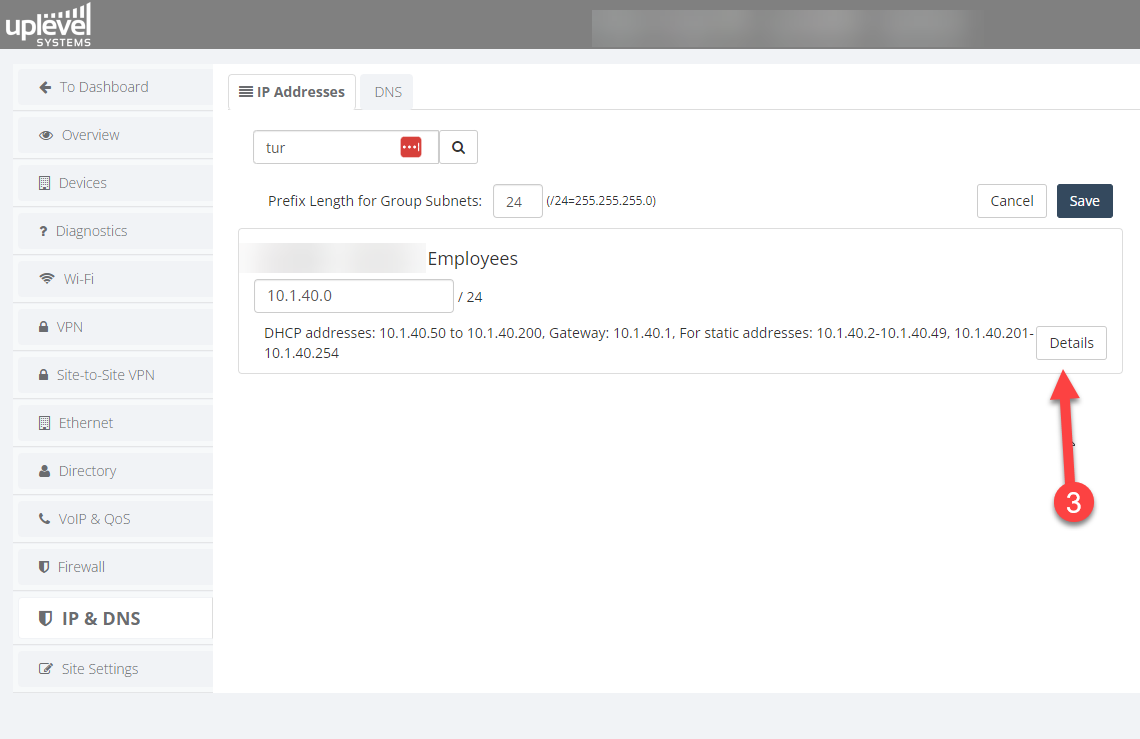
- On the IP Address tab, click Edit Addresses.
- Open the Details for the VLAN you want to manage.
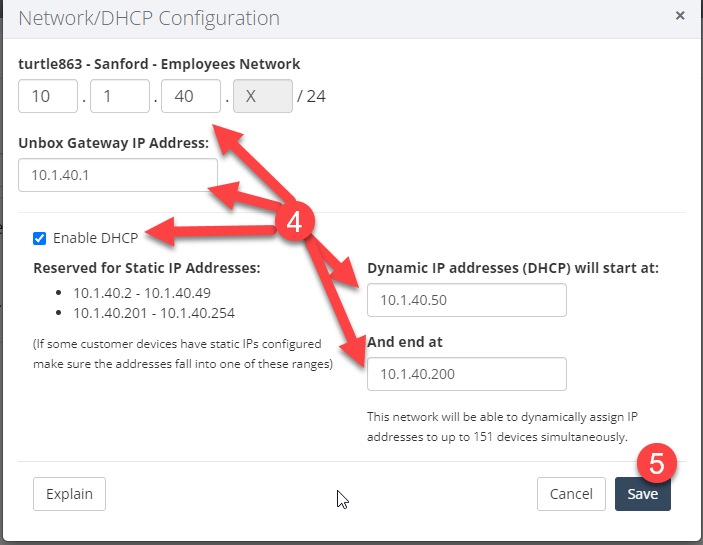
- Enable or disable the DHCP server. While there, you can also
set:
- the DHCP pool range,
- the gateway IP that clients will use as their default route,
- the CIDR (subnet size).
Mixing private IP classes
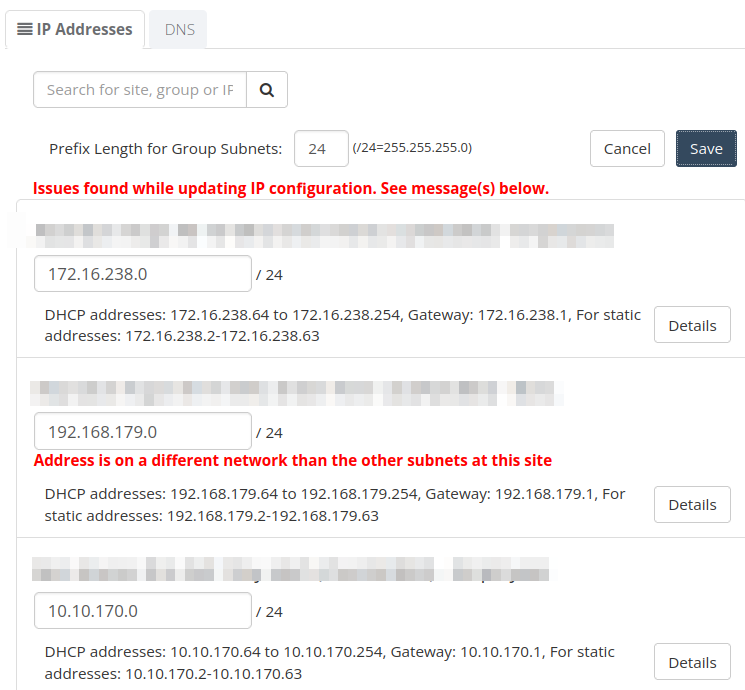
By default the gateway prevents you from mixing private IP classes (10.0.0.0/8 Class A, 172.16.0.0/12 Class B, 192.168.0.0/16 Class C) across VLANs. A validator catches accidental cross-class entries before they reach the running configuration.
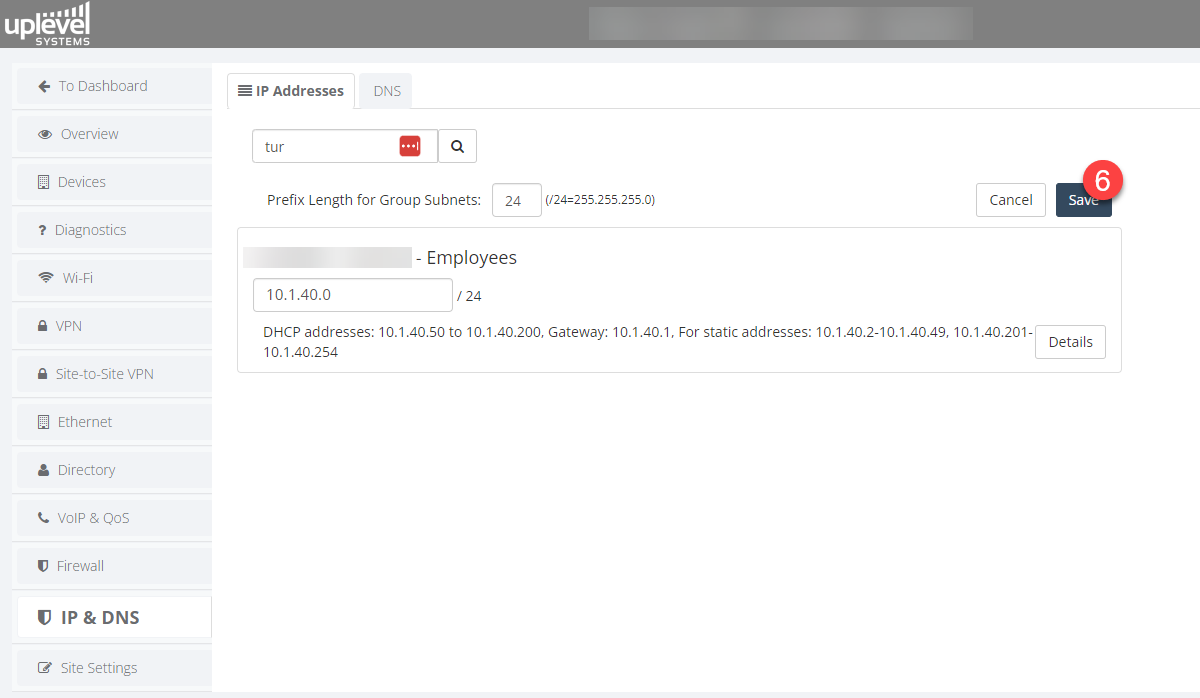
The mixed-class restriction is intentional and protects you from the most common misconfiguration. If you’re certain you need to mix classes — for example, to coexist with an upstream network that already does — hold Ctrl + Shift while clicking Save to bypass the validator.
Reserving an IP for a specific MAC address
For devices that need a stable address but you’d rather not pin on the device itself, the DHCP pool supports MAC-to-IP reservations. The gateway will hand the listed IP only to the matching MAC, and won’t hand that IP to anyone else from the pool.
